
The shift to remote work has revolutionized the modern digital landscape. The freedom to work from anywhere, skip the daily commute, and design your own office environment is incredibly appealing. However, as any seasoned digital professional will tell you, working from home comes with its own unique set of hidden challenges.
Without the physical boundaries of a traditional office, the line between your professional and personal life can quickly blur. Distractions are everywhere, motivation can dip, and a lack of structured routine can lead to severe burnout. If you find yourself working ten-hour days but feeling like you have accomplished nothing, the problem is not your work ethic—it is your system.
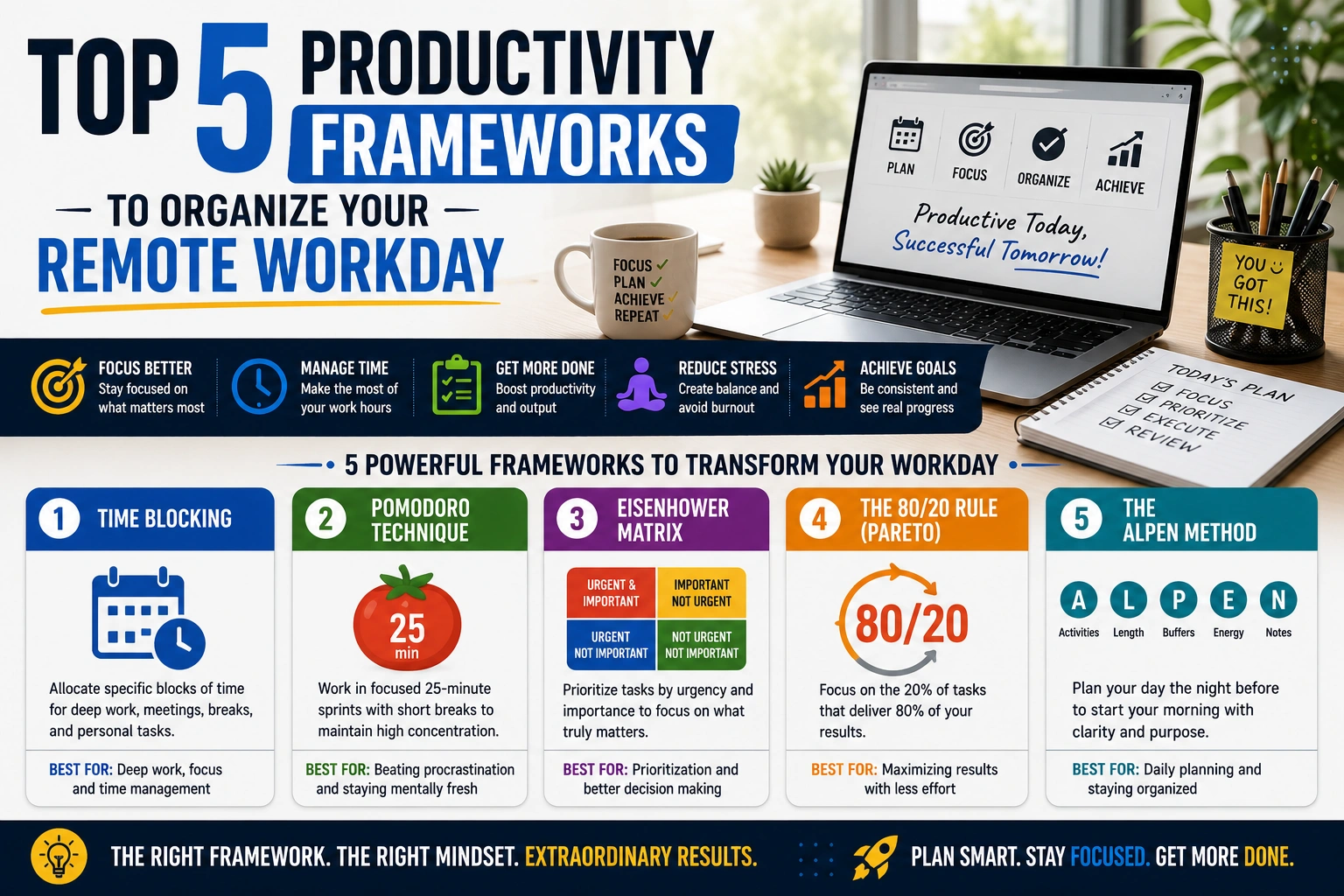
To thrive in a digital workspace, you do not need to work harder; you need to work systematically. By implementing proven productivity frameworks, you can take control of your schedule, eliminate digital clutter, and maximize your output. In this guide, we will break down the top five productivity frameworks to help you organize your remote workday efficiently.
1. Time Blocking (The Maker’s Schedule)
Time blocking is the practice of dividing your day into distinct blocks of time, where each block is dedicated exclusively to a specific task or a group of similar tasks. Instead of working off a never-ending, chaotic to-do list, you assign strict time constraints to your work.
How to Implement Time Blocking
Start by auditing your most energetic hours. Are you highly focused in the morning, or do you hit your stride late at night? Schedule your most complex, deep-work tasks during these peak hours.
For example, if your core responsibilities involve deep technical work, you might block out 9:00 AM to 11:30 AM strictly for technical SEO analysis, managing configurations across multiple websites, or writing complex code. During this block, all notifications are muted, and you do not check emails.
You then create separate blocks for shallow work. You might assign 2:00 PM to 3:00 PM purely for administrative tasks, replying to client emails, and organizing your digital files.
Why It Works for Remote Work
Time blocking forces you to be intentional with your hours. It prevents Parkinson’s Law—the adage that work expands to fill the time available for its completion. By setting artificial deadlines for yourself, you maintain high momentum throughout the day.
2. The Pomodoro Technique
If you struggle with procrastination or find it difficult to start large, overwhelming projects, the Pomodoro Technique is your best defense. Developed by Francesco Cirillo in the late 1980s, this method relies on short, highly focused bursts of work followed by mandatory breaks.
How to Implement the Pomodoro Technique
- Choose a single task you need to accomplish (e.g., writing a new article or updating a website theme).
- Set a timer for 25 minutes (This is one “Pomodoro”).
- Work on the task with absolute, unwavering focus until the timer rings. Do not check your phone or switch tabs.
- When the timer rings, take a 5-minute break. Step away from the screen, stretch, or grab a glass of water.
- After completing four Pomodoros (roughly two hours of work), take a longer break of 15 to 30 minutes.
Why It Works for Remote Work
Remote work often leads to screen fatigue. The Pomodoro Technique prevents burnout by forcing you to step away from your digital workspace regularly. It also gamifies your workflow, making massive tasks feel much more approachable.
3. The Eisenhower Matrix
When you are managing your own schedule, it is easy to confuse “urgent” with “important.” You might spend your entire day putting out small digital fires, completely neglecting the high-impact projects that actually grow your business or career. The Eisenhower Matrix is a prioritization framework that categorizes tasks based on their true urgency and importance.
How to Implement the Eisenhower Matrix
Draw a square and divide it into four quadrants:
- Quadrant 1: Urgent and Important (Do First): These are critical tasks that require immediate attention. Example: Troubleshooting sudden indexing errors or fixing canonical tag mismatches that are actively hurting search visibility.
- Quadrant 2: Important, but Not Urgent (Schedule): This is where long-term growth happens. Example: Writing utility scripts for future automation, planning your content calendar, or learning a new programming framework.
- Quadrant 3: Urgent, but Not Important (Delegate): Tasks that need to get done, but do not require your specific expertise. Example: Replying to generic inquiries or scheduling pre-approved social media posts.
- Quadrant 4: Not Urgent and Not Important (Eliminate): Time-wasting activities. Example: Mindlessly scrolling through social media feeds or organizing files that do not need to be organized.
Why It Works for Remote Work
This matrix forces you to be brutally honest about how you spend your time. It pushes you to spend more time in Quadrant 2 (deep work) and less time reacting to Quadrant 3 distractions.
4. The Getting Things Done (GTD) Method
Created by David Allen, the Getting Things Done (GTD) method operates on a simple principle: your brain is for having ideas, not holding them. When you try to remember every task, meeting, and deadline in your head, you create massive cognitive overload, leading to stress and anxiety.
How to Implement the GTD Method
The GTD framework is a five-step process:
- Capture: Write down every single task, idea, and project that crosses your mind. Store this in an “inbox” (a physical notebook or a digital app like Notion or Trello).
- Clarify: Look at your inbox. Is the item actionable? If it takes less than two minutes, do it immediately. If not, break it down into concrete steps.
- Organize: Put actionable items into specific lists or projects. Add due dates and priority tags.
- Reflect: Review your lists daily or weekly to ensure nothing slips through the cracks and your priorities are up to date.
- Engage: Look at your organized system and start working on the most appropriate task for the current moment.
Why It Works for Remote Work
For digital operators handling a high volume of moving parts—from client deliverables to backend maintenance—GTD acts as an external brain. It provides peace of mind, knowing that every detail is captured and organized safely outside of your own head.
5. The “Eat the Frog” Strategy
Coined by Brian Tracy (inspired by a Mark Twain quote), “Eating the Frog” is the simplest framework on this list, yet incredibly effective for those who struggle with morning procrastination.
How to Implement “Eat the Frog”
Your “frog” is your most difficult, most important, or most dreaded task of the day. It is the task that will have the biggest positive impact on your goals, but also the one you are most likely to put off.
The rule is simple: You must complete this task first thing in the morning, before you do anything else. Before you check your email, before you look at your analytics, and before you open Slack.
Why It Works for Remote Work
Willpower is a finite resource that depletes throughout the day. By tackling your hardest task when your mental energy is at its absolute highest, you guarantee that your most critical work gets done. Once the “frog” is eaten, the rest of your workday feels entirely downhill and manageable.
Final Thoughts on Remote Work Productivity
There is no one-size-fits-all solution for productivity. The best framework is simply the one that you can consistently stick to.
If you are new to structured work environments, do not try to implement all five of these strategies at once. Start by adopting the Pomodoro Technique to build your focus stamina, and gradually introduce the Eisenhower Matrix to prioritize your tasks. By consciously designing your digital workday, you will not only increase your professional output, but you will reclaim your personal time, ensuring a sustainable and healthy remote work lifestyle.

